v19.0
- Added the ability to test POP3 logins.
- Added support for TLS 1.3
- FTP testing: added the ability to use an encrypted SSL/TLS connection.
- FTP testing: added the ability to check for the existence of a folder. Use the same syntax as for testing a file, but append a trailing slash.
- Added the "Reset Settings" tool to the File menu.
- Previously a "smtp:" URL in the Sites List would try SSL/TLS but considered it optional. Now it will only be tried if the URL begins with "smtps:".
- Most windows now calculate their width as a factor of the interface font size. Previously they were a factor of the screen size. This ensures that windows are the optimal size, even when the font is very small or very large relative to the screen.
- The Popup table now supports mouse tilt wheel.
- Numerous minor interface improvements.
- Fixed: Import Settings: this was not enabling/disabling controls as appropriate.
- Fixed: no error was occurring if a test on the Sites tab was not a recognized type.
- Fixed: unminimizing on a secondary monitor was moving the window to the primary monitor.
- Fixed: Help: Print: some hyperlinks were not followed by the page number.
- Fixed a minor memory leak.
- Fixed: the "No Caption" option was not always working correctly.
v18.0 [Nov 4, 2018]
- Added the ability to test an FTP download. An ftp:// URL in the Sites tab can now specify a path and filename. Previously it was only possible to test the login.
- Added the ability to test HTTP redirects.
- Added the ability to test SMTP logins.
- Improved the appearance of the Failure Notice emails.
- SNMP stats: added the "TCP active connections" stat.
- Added a "Speak" tool to the Help viewer.
- Added the "Hyperborean" skin. Numerous skin improvements.
- The "Status" tab now updates instantly after unminimizing.
- Query All: the error window's OK button is now labeled "Abort".
- Help: added the "Rectangle" Selection Mode, which is useful for copying columns of text.
- Query All: the mouse cursor no longer changes to an hourglass.
- Added a button to the Popup Killer table that opens the context menu.
- The /? command line switch will now display the help file chapter on the command line.
- Fixed: Query All: the Abort button was not always responding to clicks.
- Fixed a rare stack overflow.
v14.1 [Nov 7, 2014]
Version 14.1 (November 6th, 2014)
* Fixed: popup killer: crash if the Window Caption column is blank.
v12.1 [Feb 8, 2013]
Version 12.1 (February 7th, 2013).
- Fixed a rare stack overflow (since 12.0).
v11.1 [Aug 2, 2011]
- Fixed: on the first run, the window position was not being initialized properly.
v7.2 [Feb 14, 2008]
Improved user interface.
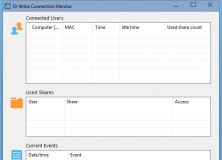


Monitors usage of admin and regular network shares on your PC or a file server.